

A WooCommerce product page has one simple job: help people understand the product and feel confident enough to take the next step. Sometimes the standard WooCommerce layout gives you enough control. Sometimes you need more flexibility to improve the way products, pricing, reviews, images, product information, and related products are presented.
That is where Elementor addons can become useful. The right addon can help you solve a specific design or functionality gap without rebuilding the entire store from scratch.
The important part is not finding an addon with the largest number of widgets. It is finding one that solves the problem your product page actually has.
Start With Elementor Before Adding Another Plugin
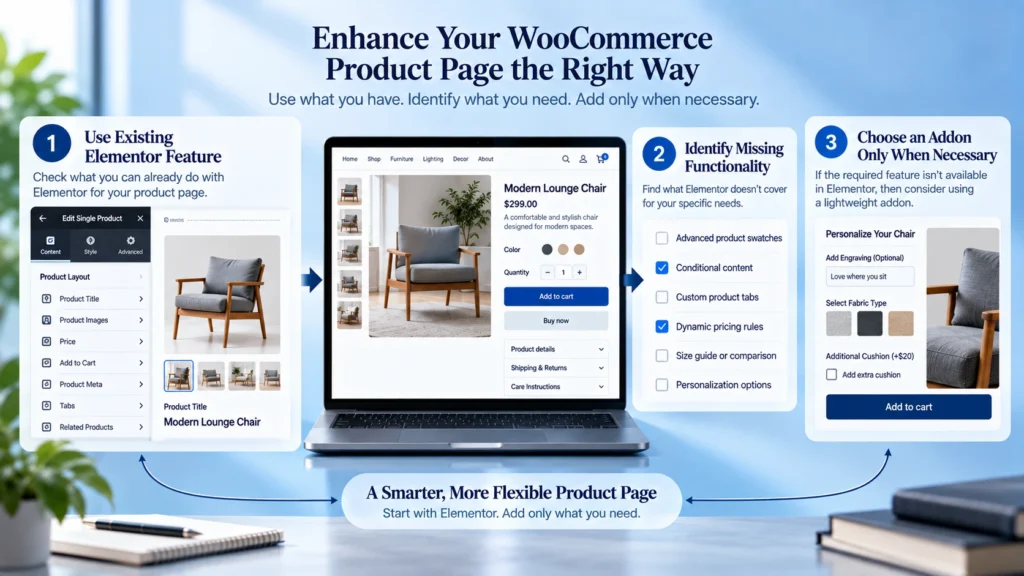
Before installing an addon, check what Elementor already provides. Elementor Pro includes WooCommerce tools for creating and customizing single product templates, including product images, titles, prices, ratings, descriptions, stock information, add to cart areas, product tabs, upsells, related products, and other product elements. Elementor WooCommerce Single Product Builder
This matters because adding another plugin simply to access a feature you already have can make your website harder to maintain.
If your existing Elementor setup does not provide the layout control or product specific feature you need, then an addon may make sense.
1. ShopEngine
ShopEngine is designed specifically around WooCommerce and provides a large collection of WooCommerce focused widgets.
It can help when you want more control over single product layouts, product information, product metadata, reviews, related products, upsells, product tabs, stock information, and other store elements.
For example, a product page may need more than a title, image, price, and add to cart button. You may want to organize product information more clearly, display additional product details, improve the review section, or create a more structured product layout.
ShopEngine can be useful when WooCommerce design flexibility is the main problem you are trying to solve.
2. JetWooBuilder
JetWooBuilder focuses on creating customized WooCommerce product and shop layouts inside Elementor.
Its single product tools allow you to build product templates using elements such as product titles, images, add to cart areas, product metadata, and other WooCommerce components. Templates can also be assigned across products or selected product groups. JetWooBuilder Single Product Template Documentation
This makes it useful when your store needs a more controlled product template structure instead of relying on the default WooCommerce presentation.
It can be especially relevant when different product types require carefully planned layouts.
3. PowerPack Addons for Elementor
PowerPack WooCommerce Builder provides WooCommerce focused widgets for Elementor and gives you additional control over product related layouts.
Its WooCommerce tools cover areas such as product images, prices, product metadata, stock, ratings, descriptions, reviews, and archive content.
PowerPack also includes a WooCommerce Products widget that can be used to display products in grids and carousels with options for queries, badges, Quick View, pagination, and styling. PowerPack WooCommerce Products Widget
This makes it useful when the goal is not only to improve individual product pages but also to improve the way products are presented throughout the store.
4. Essential Addons for Elementor
Essential Addons WooCommerce Elements includes a collection of WooCommerce elements that can extend Elementor based store designs.
Its WooCommerce elements cover product titles, descriptions, images, prices, ratings, add to cart areas, product galleries, product lists, product carousels, and product tabs.
The product tabs element can also help organize descriptions, specifications, and reviews into a cleaner structure. Essential Addons Woo Product Tabs
This can be useful when the product page contains a lot of information and you want customers to find important details without making the page feel overwhelming.
5. Element Pack Pro
Element Pack WooCommerce Products Widget provides WooCommerce focused elements for Elementor, including product listings with options for filtering, ordering, badges, ratings, pricing, add to cart, and Quick View.
Element Pack also supports dynamic WooCommerce information such as product attributes, descriptions, prices, ratings, stock, SKU, sale information, shipping information, and other product data.
This can be useful when you want to build more dynamic product layouts while keeping the design within Elementor.
These Addons Solve Different Problems
The five addons above are not identical. They overlap in some areas, but their usefulness depends on what your store actually needs.
ShopEngine is heavily focused on WooCommerce design and functionality.
JetWooBuilder is useful when customized WooCommerce templates are the main requirement.
PowerPack provides WooCommerce tools alongside a broader Elementor addon collection.
Essential Addons can help with product presentation and content organization.
Element Pack provides WooCommerce elements and dynamic content options for more flexible layouts.
The important question is not which addon has the most widgets. The better question is which addon fits the specific problem you are trying to solve.
Do Not Choose an Addon by Counting Widgets
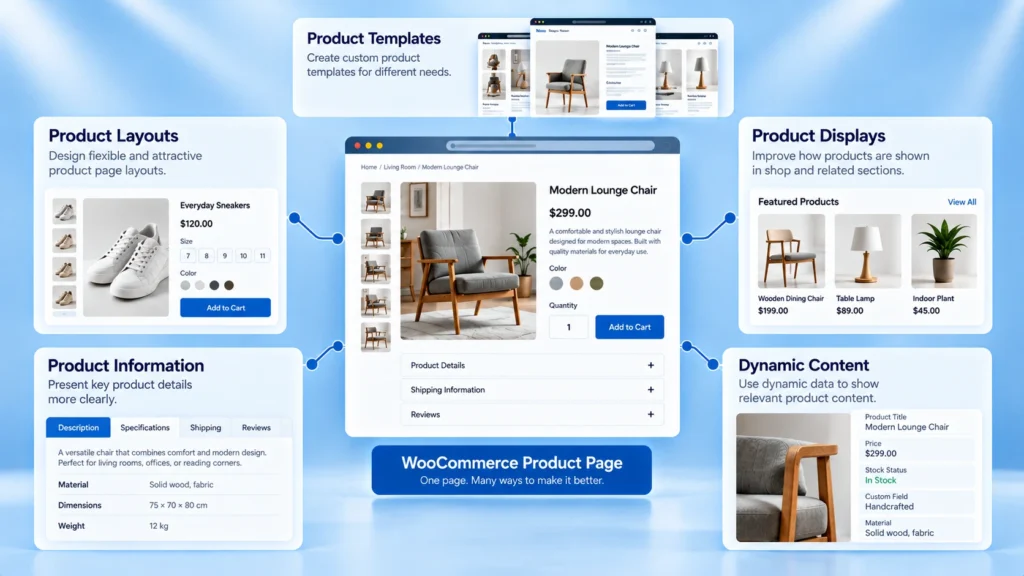
A plugin can advertise dozens or even hundreds of widgets, but most stores will use only a small portion of them.
Installing a large addon just because it offers more features can create unnecessary complexity. You may end up with features you never use, additional settings to manage, and another plugin that needs regular updates.
Start with the product page problem.
If the issue is product template control, look for an addon that improves template building.
If the issue is product presentation, focus on product images, information, reviews, pricing, and related products.
If the issue is product discovery, look at product grids, filters, categories, and Quick View features.
The addon should follow the requirement, not the other way around.
Product Page Design Should Follow the Buying Decision
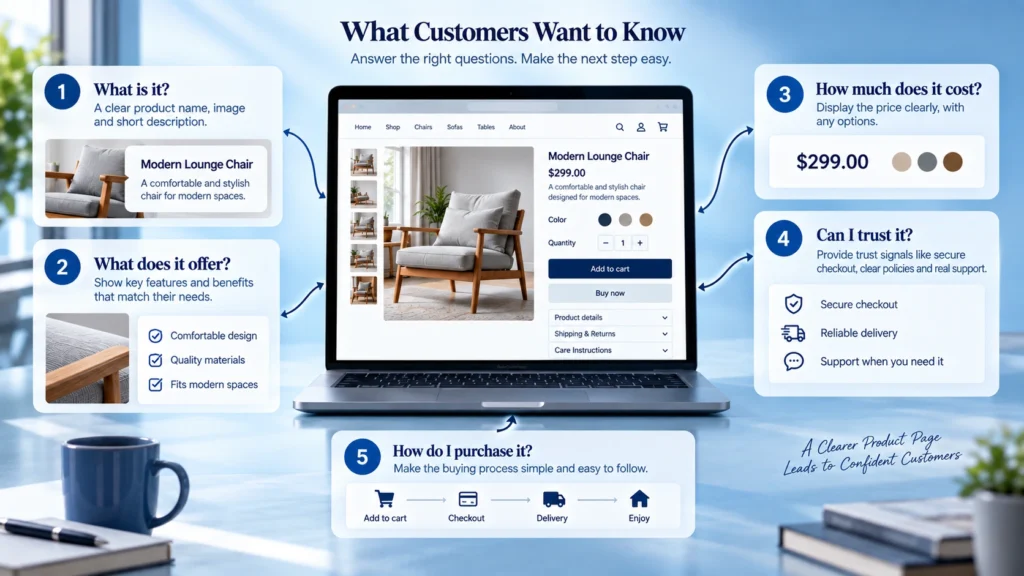
A product page should answer the questions a customer naturally has before purchasing.
What is this product?
What does it offer?
How much does it cost?
What does it look like?
Is it suitable for me?
Can I trust the seller?
What happens after I purchase?
Your design should make these answers easy to find.
Adding more widgets does not automatically make a product page better. A carefully organized page with fewer elements can often communicate more clearly than a crowded layout filled with features.
Use Product Reviews Where They Actually Help
Reviews can be valuable because they provide information from people who have already purchased the product.
But simply placing reviews somewhere on the page is not enough.
Think about where customers are most likely to need reassurance. Reviews can be useful near important product information, after the main product details, or in a clearly organized review section.
The goal is to support the customer’s decision rather than interrupt it.
Be Careful With Upsells and Related Products
Related products and upsells can help customers discover additional products, but they should have a clear reason for being there.
If someone is looking at a product and immediately sees a large collection of unrelated products, the page can become distracting.
A better approach is to show products that make sense in the context of the current purchase.
For example, accessories that work with the selected product may be more useful than a random selection of popular products.
The relationship between the products should be obvious.
Product Images Deserve More Attention Than They Usually Get
For many online stores, product images are one of the most important parts of the product page.
A customer cannot physically inspect the product, so the visual presentation needs to communicate important details clearly.
Your layout should make it easy to view the product, move between images, understand different angles, and see important details.
An addon can provide additional controls for galleries, image presentation, thumbnails, navigation, and responsive behavior, but the design still needs to serve the product.
More effects do not necessarily mean better product photography.
Do Not Forget Mobile
A product page that looks good on a large screen can still create problems on mobile.
Customers may struggle with oversized images, difficult navigation, poorly positioned buttons, crowded product information, or sections that take too long to reach.
Check the complete buying journey on smaller screens.
Make sure the product image is easy to understand, pricing is visible, important information is readable, and the add to cart area is easy to find.
Mobile optimization should be part of the product page design rather than a final adjustment.
More Plugins Can Create More Maintenance
Every additional plugin becomes another part of your website that needs to be maintained.
That means updates, compatibility checks, performance considerations, and future troubleshooting.
Before adding an Elementor addon, ask whether the feature is genuinely necessary.
If Elementor already provides the functionality, use the existing feature.
If an addon solves a meaningful design or functionality problem, then it may be worth adding.
The goal is not to build the biggest plugin stack. The goal is to build a store that is easier for customers to use and easier for you to manage.
A Simple Decision Process
Start by identifying the product page problem.
Then check whether Elementor Pro and WooCommerce already provide the required feature.
If they do not, compare addons based on the exact feature you need.
After choosing an addon, use only the widgets that improve the customer journey.
Then test the complete product page on desktop, tablet, and mobile.
Finally, review the page as if you were a customer who has never seen the store before.
Can you understand the product quickly?
Can you find the important information?
Can you trust what you are seeing?
Can you easily take the next step?
Those questions matter more than how many Elementor widgets the website contains.
A Better Way to Think About Elementor Addons
Elementor addons can give WooCommerce stores more flexibility, but the addon itself is not the solution.
The solution starts with understanding what is missing from the product page and why that missing element matters to the customer.
A well planned product page can use an addon to improve the layout, product information, images, reviews, related products, or other parts of the shopping experience without adding unnecessary complexity.
The best place to start is not the addon library. Start with the customer, identify the problem, and then choose the feature that helps solve it.