

Launching a Shopify store can feel surprisingly straightforward. You choose a theme, add products, connect payments, set up shipping, and suddenly you have a store that looks ready to sell.
That is where many new store owners stop.
The problem is that getting a Shopify store online and setting up a Shopify store strategically are two different things. Some of the features that can make the biggest difference to customer experience, store management, and long-term growth are not necessarily the features you notice first.
You might spend hours adjusting colors and product images while leaving customer accounts untouched. You might install several apps to automate tasks that Shopify Flow can already handle. Or you might look at total sales every week without using the deeper analytics that could tell you where customers are actually coming from and where the store is losing momentum.
None of these features is a magic growth button. They are tools. Their value comes from knowing when they solve a real business problem.
Here are five Shopify features worth understanding before you start adding more apps, redesigning your theme, or trying to drive more traffic.
1. Shopify Markets Can Help You Think Beyond One Customer Location
A common mistake with a new ecommerce store is treating international selling as something to worry about later.
That can make sense if you are intentionally starting with one local market. But if you already expect customers from multiple countries, Shopify Markets deserves attention much earlier.
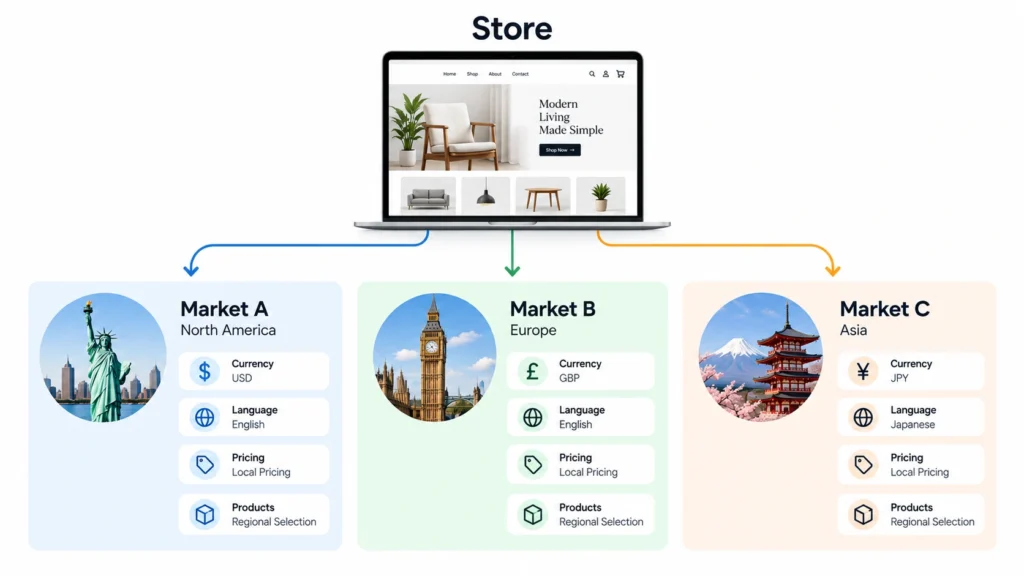
Shopify Markets allows merchants to manage different countries and regions from a single store. Depending on the setup, you can configure things such as currency, language, product availability, pricing, domains, and other market-specific experiences.
The important strategic point is that international selling is not simply a matter of changing the currency symbol.
A customer in another country may have different expectations around pricing, language, shipping, delivery, product availability, and checkout. If your store attracts international visitors but gives everyone the same experience, you may create unnecessary friction.
For a small business, this does not mean you need to launch in ten countries on day one. In fact, doing that without understanding fulfillment, taxes, duties, returns, and demand can create more problems than it solves.
Instead, start with the markets that make business sense.
Ask:
- Where are your current customers located?
- Which countries can you realistically ship to?
- Do your margins support international fulfillment?
- Does your product make sense in those markets?
- Do you need localized pricing or currency?
- Are there regulatory or tax considerations you need to understand?
Shopify’s current Markets documentation explains that regional markets can be created across Shopify plans, while certain customization features depend on the plan and configuration.
The feature is useful because it lets your store architecture grow with the business instead of forcing you to create a completely separate storefront every time you want to test a new region.
When should a new store owner care about Markets?
If you are selling locally and have no international plans, probably not immediately.
If international customers are already visiting, purchasing, or showing strong interest, however, it is worth understanding how Markets fits into your setup before you start building workarounds with multiple stores or apps.
The strategic lesson is simple: do not confuse having international visitors with having an international strategy.
2. Customer Accounts Are More Than a Login Button
Many new store owners treat customer accounts as a small website feature: someone clicks “Account,” signs in, and sees previous orders.
That undersells what modern Shopify customer accounts can do.
Customers can use their accounts to view orders, check order status, manage profile information, access features such as self-serve returns where enabled, and interact with other account functionality. Shopify also supports passwordless sign-in using a one-time verification code, which removes the need for customers to remember another password.
For an ecommerce business, this matters because the customer relationship does not end at checkout.
Imagine someone buys skincare products from your store. Two months later, they want to reorder. If the account experience makes it easy to find their previous purchase and take the next action, your store is helping the customer continue the relationship.
That is very different from treating the website as a collection of product pages.
Customer accounts can also be branded and customized through Shopify’s checkout and accounts editor. Depending on your setup, you can add functionality through apps and customize areas such as the account menu and customer account pages.
There is another detail new merchants should know: Shopify’s legacy customer accounts are deprecated. Shopify recommends upgrading to the newer customer accounts experience to access newer features and the updated sign-in experience.
Do you need customer accounts from day one?
Not necessarily.
For a low-frequency purchase business where customers may buy once and never return, the value can be different from a subscription, replenishment, fashion, beauty, hobby, or consumable-product store.
The better question is not “Should I enable customer accounts?”
It is “Will an account make the customer’s next interaction with my business easier?”
If the answer is yes, design the account experience as part of the customer journey rather than treating it as a hidden Shopify setting.
3. Shopify Search & Discovery Can Improve How Customers Find Products
Here is a feature that is easy to overlook because it sits behind the storefront experience: Shopify Search & Discovery.
If your catalog is small, you might not think much about product filtering or search behavior. But as the number of products grows, customers need ways to narrow their choices quickly.
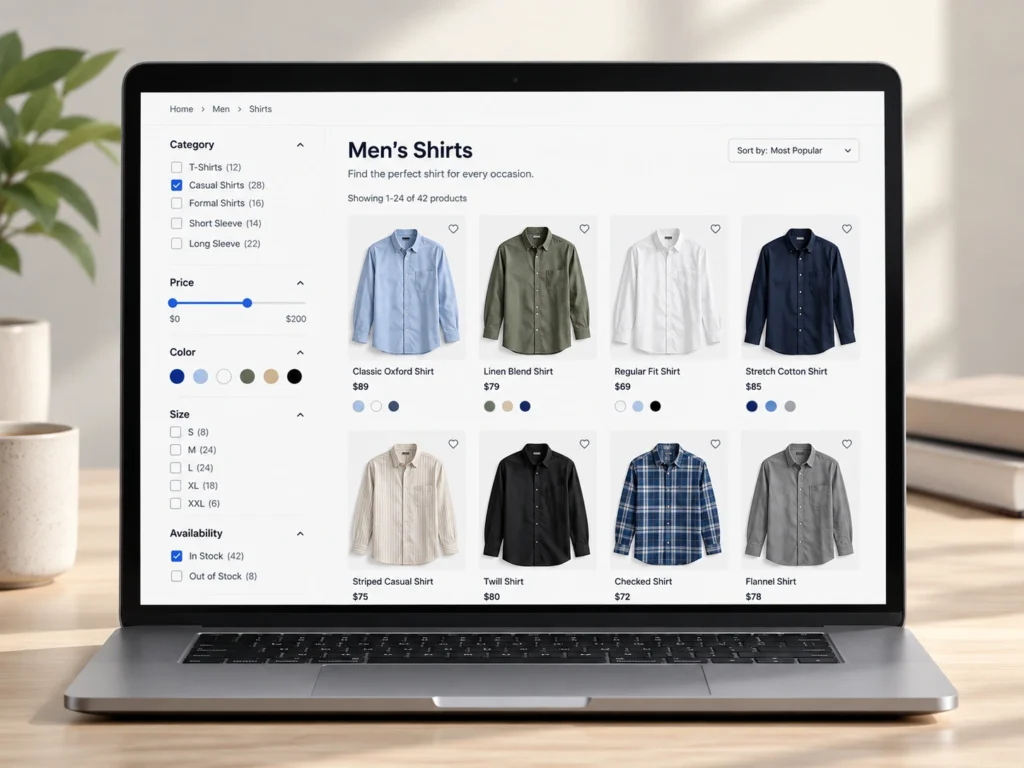
Shopify’s Search & Discovery app can provide storefront filters based on things such as availability, category, price, product type, tags, vendor, product options, and selected metafields. It can also be used to customize search results and product recommendations.
Think about a clothing store.
A customer does not necessarily want to browse 300 products manually. They may already know that they want:
- Women’s clothing
- Black
- Medium
- Under $100
- Available now
A good filtering experience reduces the amount of work the customer has to do.
Search can also be improved through synonym groups and other search customizations. That matters because customers do not always use the exact terminology you used when creating product titles.
Then there are product recommendations.
Shopify can generate related product recommendations, while Search & Discovery lets merchants customize related and complementary products. For example, a customer viewing a camera might see a compatible memory card or case.
The strategic opportunity is not simply “show more products.”
It is to help customers discover the next relevant product without making the shopping experience feel pushy.
The mistake to avoid
Do not create dozens of filters just because Shopify allows them.
A filter is useful when it helps customers make a meaningful choice. If your filters are confusing, duplicated, poorly named, or based on information customers do not care about, they can make navigation harder instead of easier.
Start with the decisions customers actually make.
4. Shopify Flow Can Remove Repetitive Store Management
When a store is new, manually handling tasks can feel manageable.
You might manually tag VIP customers. Check inventory. Review certain orders. Notify someone about an unusual purchase. Update product information. Monitor specific customer or order conditions.
Then the store grows.
The same tasks that seemed harmless at 20 orders can become frustrating at 200.
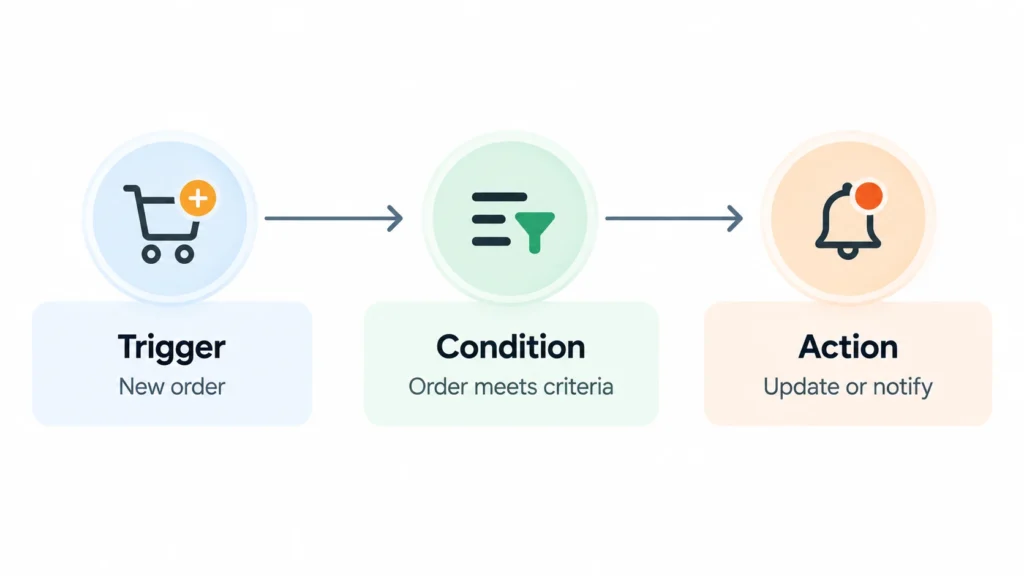
Shopify Flow is designed for exactly this kind of problem. It lets merchants create automated workflows using triggers, conditions, and actions. Shopify describes Flow as an ecommerce automation platform that can automate tasks within the store and across connected apps.
For example:
Trigger: A new order is created.
Condition: The order exceeds a certain value.
Action: Add a VIP tag to the customer.
Or:
Trigger: Product inventory changes.
Condition: Inventory falls below your chosen threshold.
Action: Send a notification.
Flow supports many different triggers and actions, including customer, order, inventory, fulfillment, and scheduled workflows.
The current Shopify documentation also notes that Flow is available as a free app on Basic, Grow, Advanced, and Plus plans, although some capabilities vary by plan.
Why this matters strategically
Automation is not valuable simply because it saves a few clicks.
It becomes valuable when it removes repetitive decisions from your daily workload.
If you repeatedly ask yourself, “Did someone remember to check this?” or “Do we need to manually update that?” you may have an automation opportunity.
Before installing another app, ask whether the task is already something Shopify Flow can handle.
You may discover that the better solution is not another subscription. It is a better workflow.
5. Shopify Analytics Can Tell You What the Store Is Actually Doing
This may be the most important feature on the list because it changes how you make decisions.
New store owners often look at one number: sales.
Sales matter, obviously. But sales alone rarely explain what is happening inside the store.
Shopify Analytics provides dashboards and reports covering areas such as sales, sessions, fulfillment, and other store activity. The dashboard can be customized, reports can be explored in more detail, and performance can be compared across time periods.
That gives you the opportunity to ask better questions.
Instead of:
“Did we make more money this month?”
You can ask:
“Which landing pages are attracting visitors?”
“Which devices are producing sessions?”
“Which products are selling together?”
“Did conversion behavior change after we redesigned a page?”
“Where are we getting traffic without enough commercial activity?”
Those questions are much more useful for improving a store.
Shopify’s Analytics dashboard can also surface automatically generated insights and lets merchants set metric targets, making the analytics area more useful as an ongoing management tool rather than a report you open once a month.
What should you monitor first?
Do not overwhelm yourself with every available metric.
For a new store, start with a small group of questions:
- Are people reaching the store?
- Which channels are sending them?
- Which products or pages attract attention?
- Where are customers dropping out?
- Which products actually generate revenue?
- Are repeat purchases happening?
The goal is not to become an analytics expert.
The goal is to replace assumptions with evidence.
These Features Work Better as a System
The interesting thing about these five features is that they are not isolated.
Markets can help you organize how you sell to different regions.
Customer accounts can make the post-purchase relationship easier.
Search & Discovery can help customers find relevant products.
Flow can reduce repetitive operational work.
Analytics can show you what is happening across the store.
Together, they support different parts of the same business system.
That is why I would not recommend enabling every Shopify feature simply because it exists. A store can become unnecessarily complicated very quickly.
Instead, connect each feature to a specific business problem.
If customers struggle to find products, improve discovery.
If repeat customers have a poor post-purchase experience, examine customer accounts.
If your team spends time repeating the same administrative tasks, look at automation.
If you are unsure why the store is or is not performing, start with analytics.
If international demand is becoming meaningful, review your Markets setup.
The feature should follow the problem, not the other way around.
What Matters Most When Building a Shopify Store
A Shopify store does not become strategically strong because every available feature has been switched on.
In fact, the opposite can happen. Too many apps, settings, pop-ups, automations, filters, and integrations can create a store that is technically sophisticated but unnecessarily complicated for both the customer and the business owner.
The better approach is to build the foundation first, understand the customer journey, and then introduce features when they solve a real problem.
That is especially important for a new store. You do not need to build the most advanced Shopify setup on day one. You need a setup that is appropriate for your products, customers, operations, and current stage of growth.
The best Shopify feature is not necessarily the most powerful one. It is the one that solves the right problem at the right time.